I would like to delete a few messages containing personal information that might be used to harass me.
A user asked this in Reopen a closed DM?, explaining that the other person had blocked them. The practical problem was getting back to their own messages so they could remove them.
Use Friendcord to identify the conversation, reopen the actual Discord DM with Instant, then delete your own messages through Discord. If you already know the correct original User ID, start with Instant directly; a new export is not required first.
Find the conversation without guessing their current username
If the DM is still accessible in Discord, open it there and go to the message you want to remove. If the chat is lost and you do not know the recipient’s User ID, import your Discord ZIP into Friendcord.
Search a distinctive word you remember sending. For sensitive information, try a short identifying fragment rather than repeatedly copying the full detail elsewhere. Narrow results by date or user, then inspect the matching conversation.
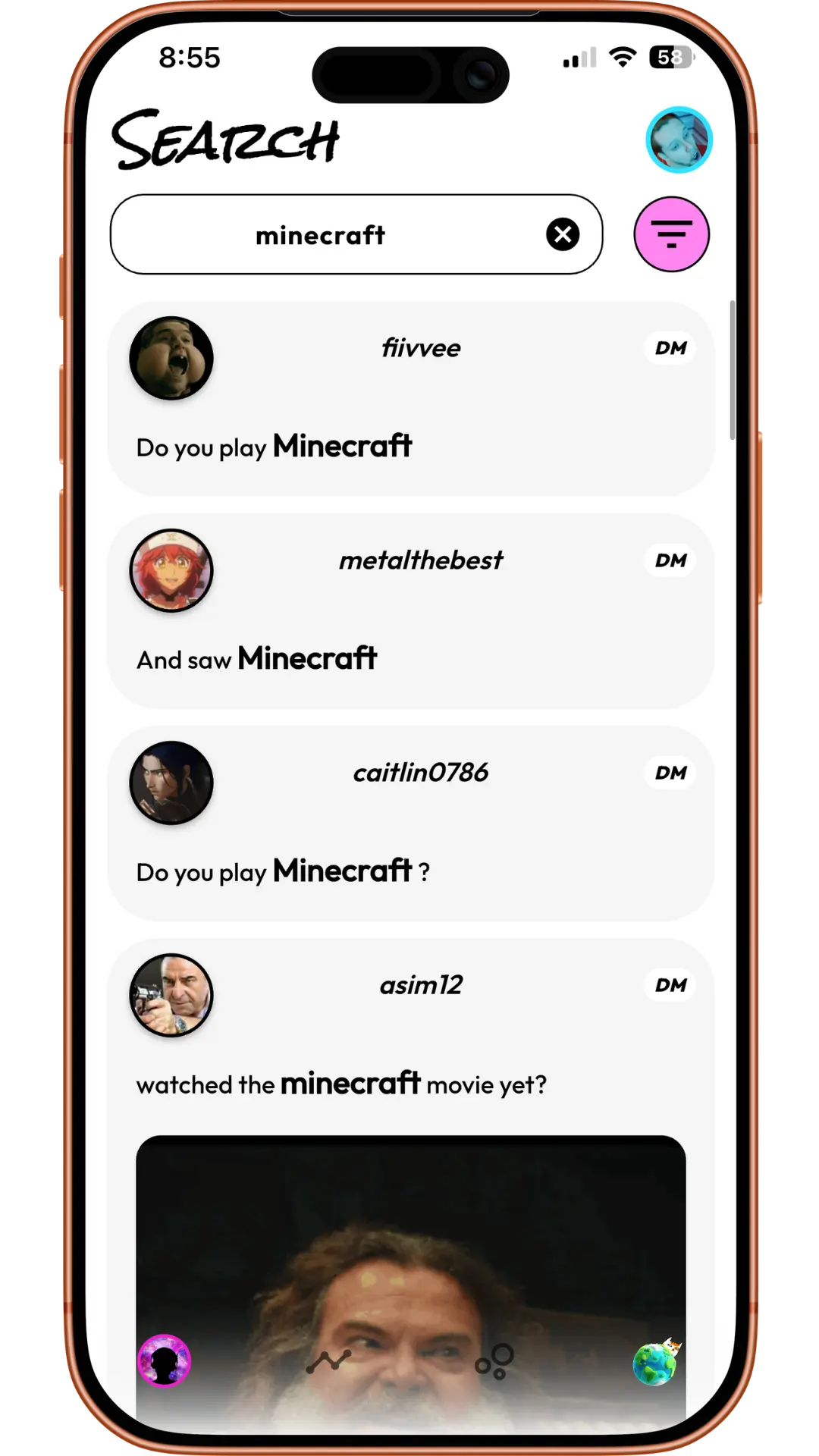
The ZIP contains your sent messages. That makes it useful for finding something you shared, but it cannot supply a message omitted from the export. Keep the original ZIP private; editing a local archive does not delete anything in Discord.
Reopen the actual DM with Friendcord Instant
1. Install the Friendcord mobile app and browser extension. Use the extension’s QR pairing flow to connect the app to a supported browser.
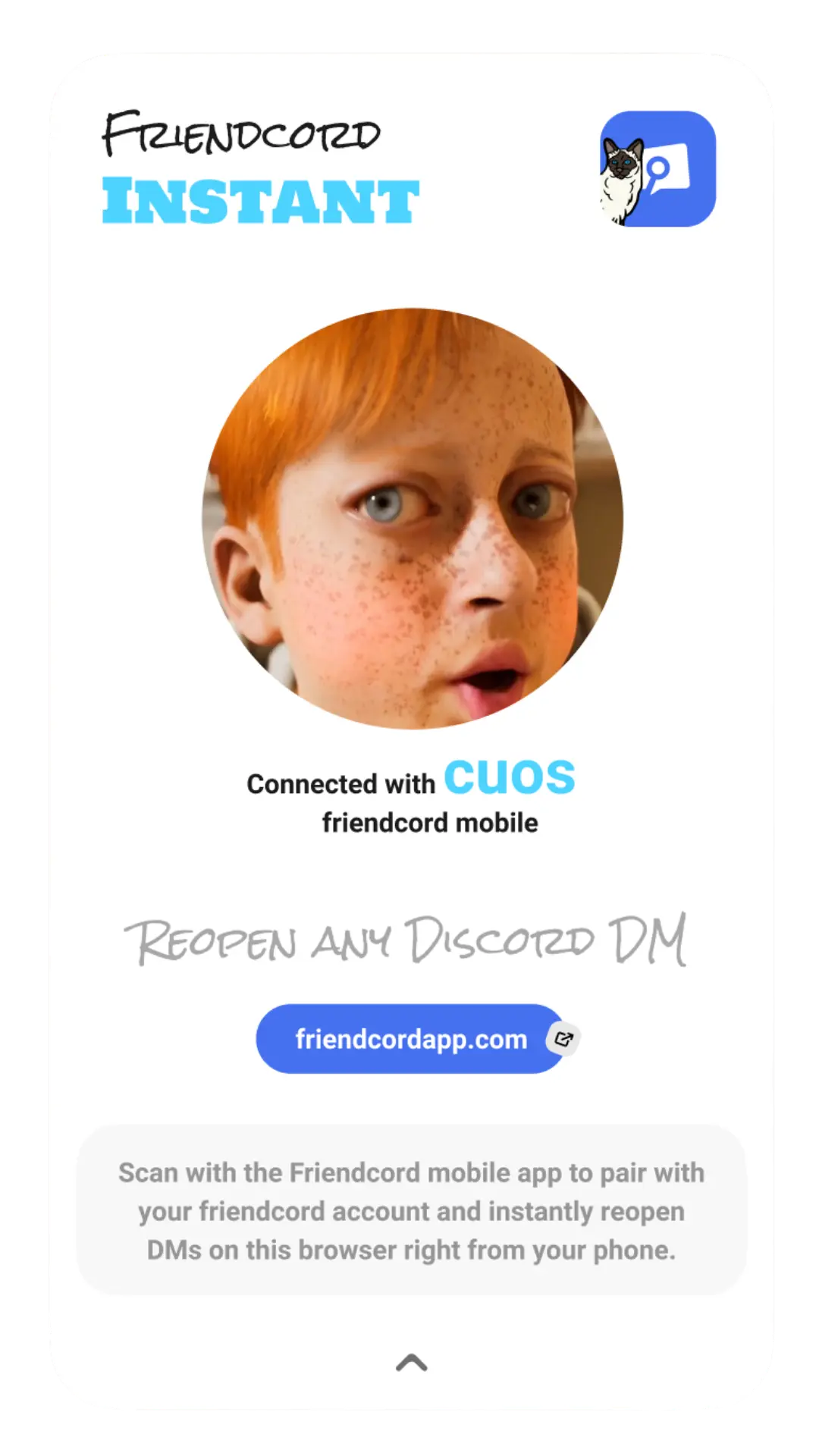
2. Select the identified conversation’s Open DM options. If you already have the correct User ID, use the direct Instant opening option instead of importing a ZIP. A channel ID or message ID is different from a User ID.
3. Once the Instant connection is active, choose Open DM. The actual Discord conversation opens in the paired browser. Locate the message there, using its remembered wording or date.
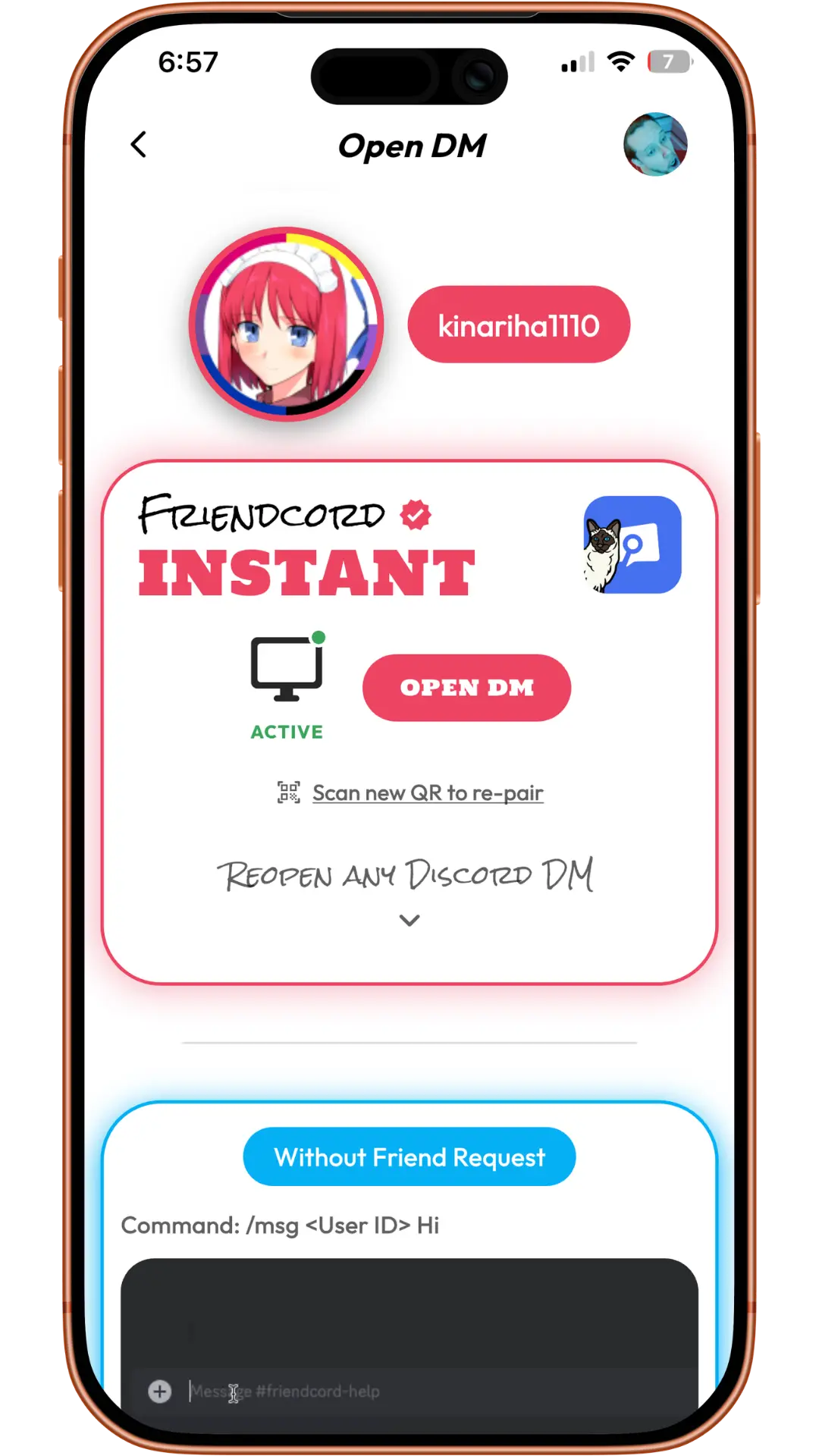
Friendcord’s owner confirms that Instant can reopen conversations with users who blocked you or deleted their accounts. Reopening does not enable sending through a block, reactivate an account, or restore individually deleted messages. Those account states were not independently tested for this article.
Delete your own message in Discord
Discord’s retention guidance says you can edit or delete messages you sent while you still have access to the space where you posted them. After reopening the DM, select your message, use Discord’s message actions to delete it, and confirm the action.
Check that you selected your own message and the correct conversation. Repeat for other details you intended to remove. Friendcord helps locate and open the chat; perform deletion in Discord itself. Removing an entry from an imported archive would only change that local copy.
If you cannot find the message in the live conversation, do not assume that an archive search result proves it is still visible there. The export is a separate record. Conversely, a message absent from your export may still remain in Discord.
What deletion cannot remove
Deleting your message cannot erase screenshots, downloads, forwarded text, or other copies someone already saved. You also cannot use this workflow to delete the other person’s messages. Closing or blocking a DM is different from deleting individual content.
Discord’s current retention page describes cache-clearing delays and exceptions to deletion from its systems. Do not interpret a successful message deletion as a guarantee that every copy everywhere has vanished.
If you need to report harassment, preserve the relevant message links and context privately before removing material you might need for the report. Follow our Discord reporting guide for the reporting route.
What if the messages are in a server or group you left?
Your messages are completely unreachable should you no longer have access to them.
A May 15, 2023 Reddit post described this frustration about departed servers and group chats. That is a different access problem from a closed one-to-one DM.
Friendcord Instant is not a way to restore server membership or bypass permissions. Use available archive records to identify the space and messages, then ask the server’s moderators or Discord support about the specific removal request. This does not guarantee they can remove every item or provide access.
Discord says shared content can remain after account deletion in its retention guidance. Review your own sensitive messages while you can still access the account rather than assuming account deletion cleans up every conversation.
Start with the chat you need to review
Get Friendcord to search the ZIP and identify the conversation. If the correct User ID is already known, use Friendcord Instant directly, reopen the DM, and manage your own messages in Discord.
The Reddit excerpts are personal experiences, not endorsements of Friendcord. The first source’s original date was not reverified, so it is omitted. Screenshots are existing product examples. Product and Discord documentation were checked on October 17, 2026.