A Discord ZIP can help you find a lost conversation, but downloading it is only the beginning. You still have to identify the right chat, untangle the IDs, and open the conversation in Discord.
Friendcord handles those steps together: search your imported data, find the person or conversation, then use Friendcord Instant to reopen the actual Discord DM. If you already know the correct User ID, you can go straight to opening the DM.
Below are real questions from Reddit and Discord’s community forums, followed by the practical way through each problem.
1. “There are thousands of folders. Which one is my DM?”
Since theres literally hundreds/thousands of files its impossible to tell which message is from where.
That is how a Reddit user described their downloaded archive in October 2023. Read the original Reddit post.
The easiest Friendcord route is to import the ZIP and search for a distinctive word you sent: a game, a nickname, a place, or a project you discussed. Narrow the results with date and user filters rather than opening folders one by one. Select the matching conversation to inspect the available messages and its DM-opening options.
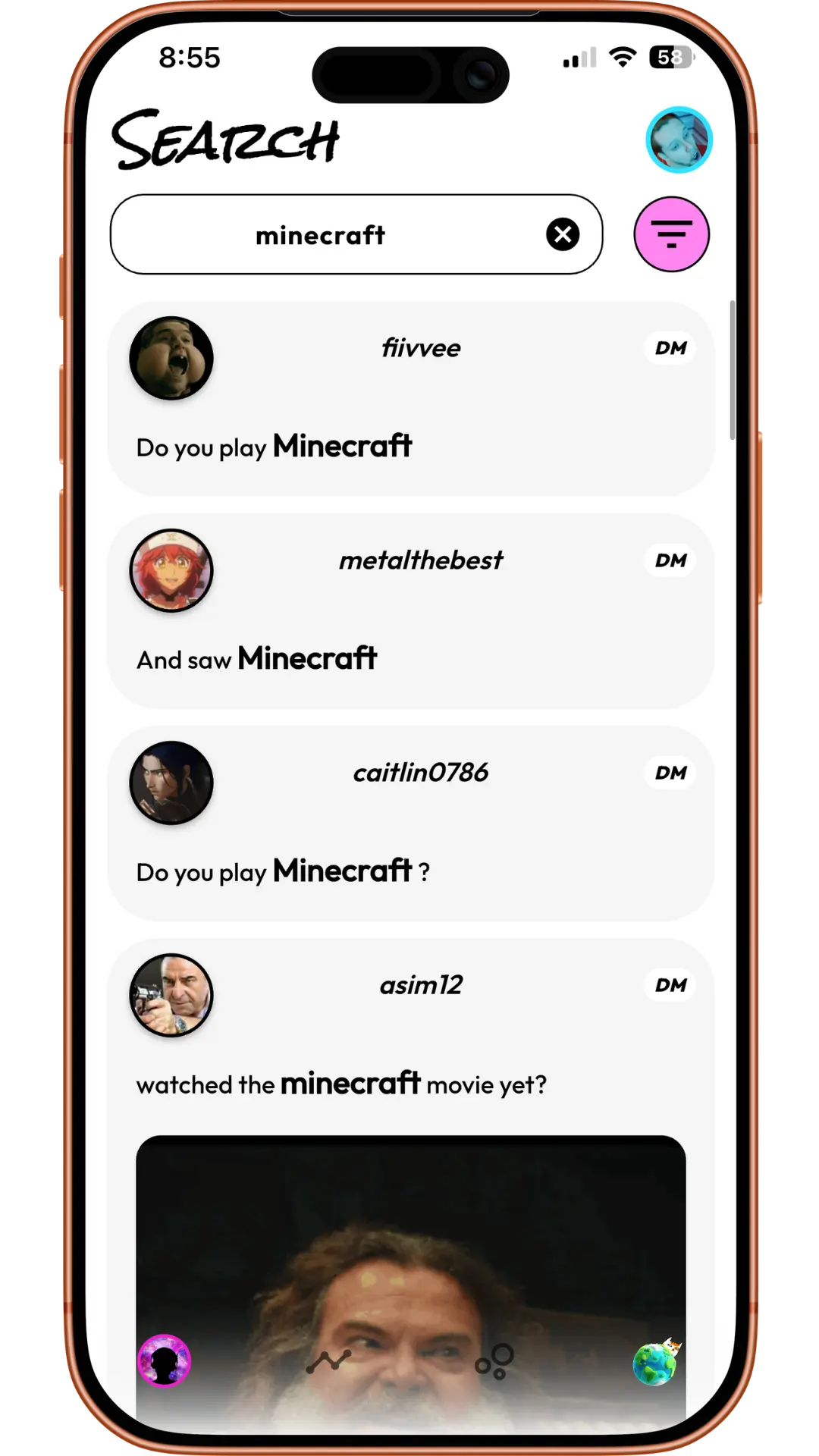
The screenshot shows what that looks like: one remembered word can surface messages from several conversations. These are product examples, not the quoted Reddit user’s messages.
Prefer doing it manually? Open the messages index in a text editor and find the conversation’s channel entry. Use that channel ID to locate the corresponding folder. Discord’s current data-package documentation explains that messages are grouped by channel, with metadata identifying the channel and DM participants. Older exports may contain CSV files; current documentation describes JSON transcripts.
2. “I closed the chat and don’t know their username”
I accidentally closed the dms of someone i don’t have added and i don’t know how to find them ( don’t know their username ) , is there any way to retrieve the dms ?
The same user added that they had no access through servers or mutual friends. Read their August 2024 Reddit post.
Try Discord’s message search before requesting an export. Search for something you remember saying and make sure you are searching message content rather than only looking for a person’s name. Discord says cross-DM search is available on mobile; desktop access is currently an experiment for a limited number of users. See its current search guide.
If that does not find the chat, import your data into Friendcord and search the messages you sent. You do not need to remember the person’s current username to recognize a conversation about a specific game or shared experience.
Once you find the conversation, use its Open DM options. Friendcord Instant pairs the mobile app with the browser extension so you can open the Discord chat from your phone.
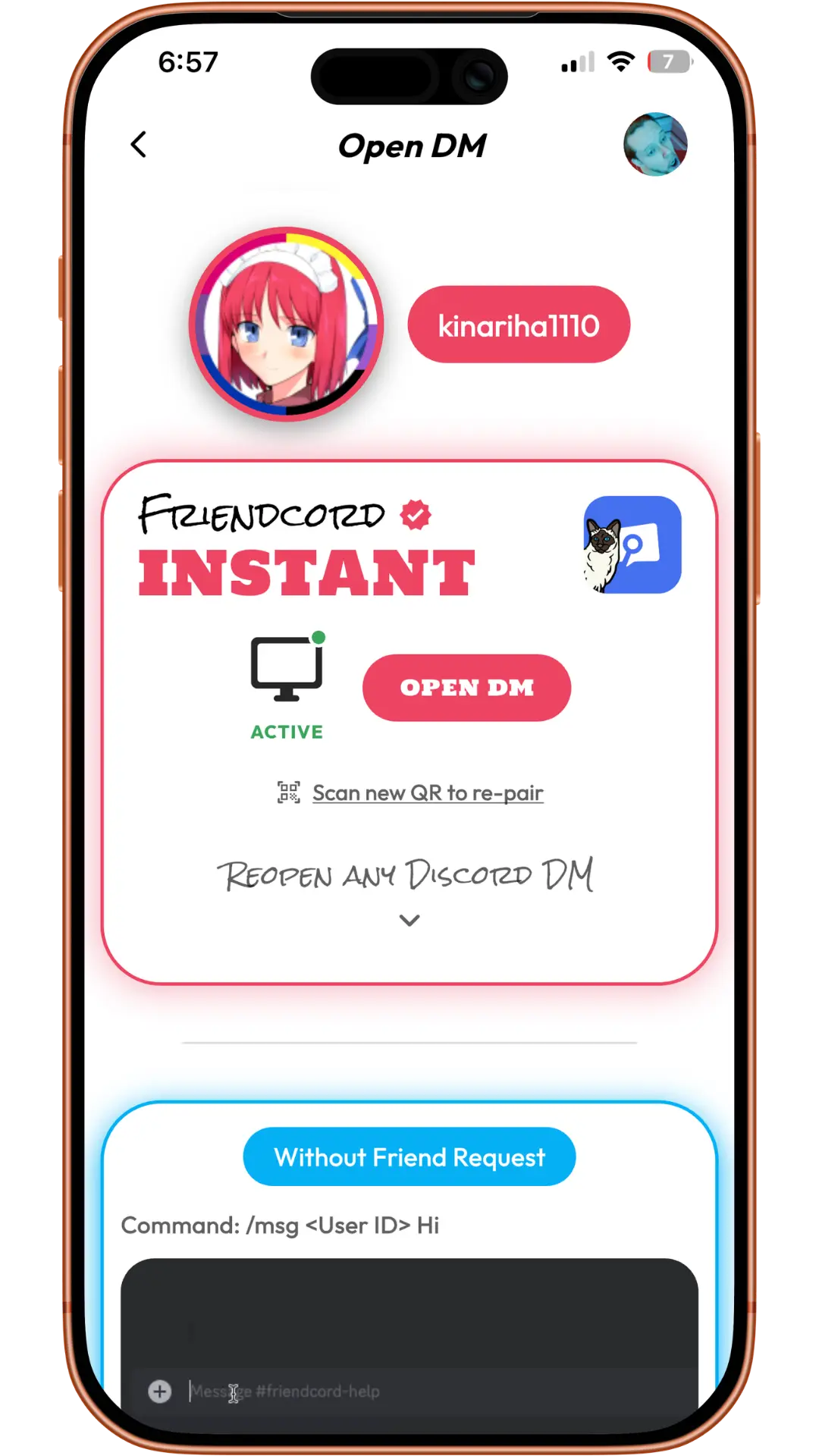
A downloaded archive is useful for identifying the conversation. Instant provides the next step: opening that conversation in Discord.
3. “They changed their name. The old username gets me nowhere”
I had a chat with someone and I later unfriended them and closed the dm but they changed name and I have no other way to contact them
This question appeared on Reddit in January 2020. Read the original thread.
Search the conversation’s content instead of repeatedly trying the old name. In Friendcord, use a remembered message to identify the chat, then use its DM-opening options. If you have the correct User ID already, use it directly with Instant.
Be careful when following old guides: a message ID, channel ID, and User ID identify different things. The number naming a messages folder identifies its channel. Check the DM metadata for participant User IDs before pasting a number into a user lookup. Do not assume the folder name is the other person’s User ID.
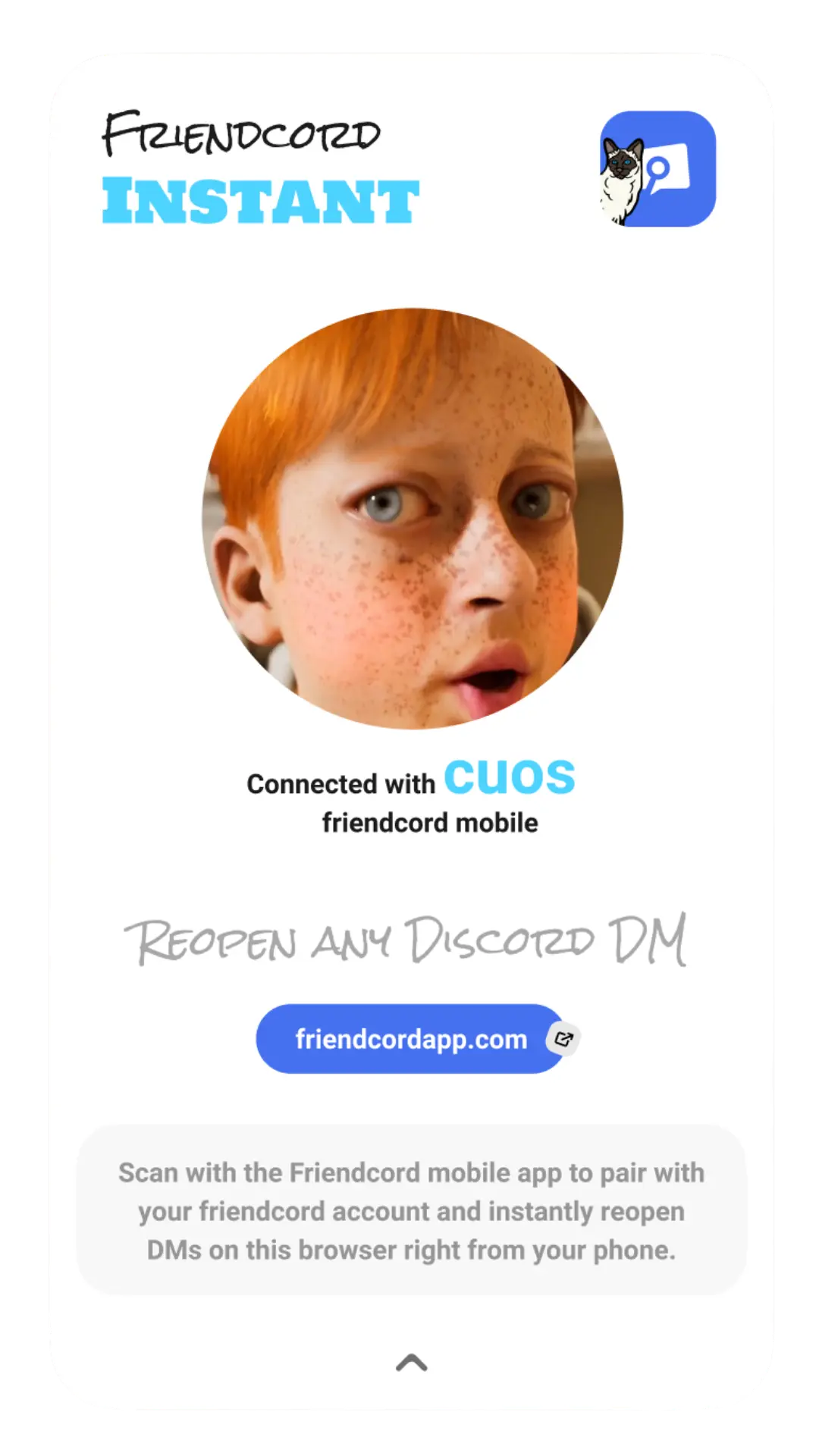
Pairing connects Friendcord on your phone to the browser extension. The paired extension opens the actual Discord conversation; guessing a new username is not the only route.
4. “The export only has my messages. Where are their replies?”
Side note: It's kinda upsetting that it doesn't save the full DMs, only messages you sent.
This is another excerpt from the October 2023 data-package question.
The export and the live conversation serve different purposes. Discord exports your sent messages. Friendcord can search those records to help you locate the chat, then open the actual DM with Instant so you can read the remaining conversation history in Discord, including replies that still exist there.
Friendcord Instant also supports reopening your conversation with someone who blocked you or deleted their account. You need to identify the correct conversation or user first. Opening a chat does not reactivate a deleted account or let you send messages through a block.
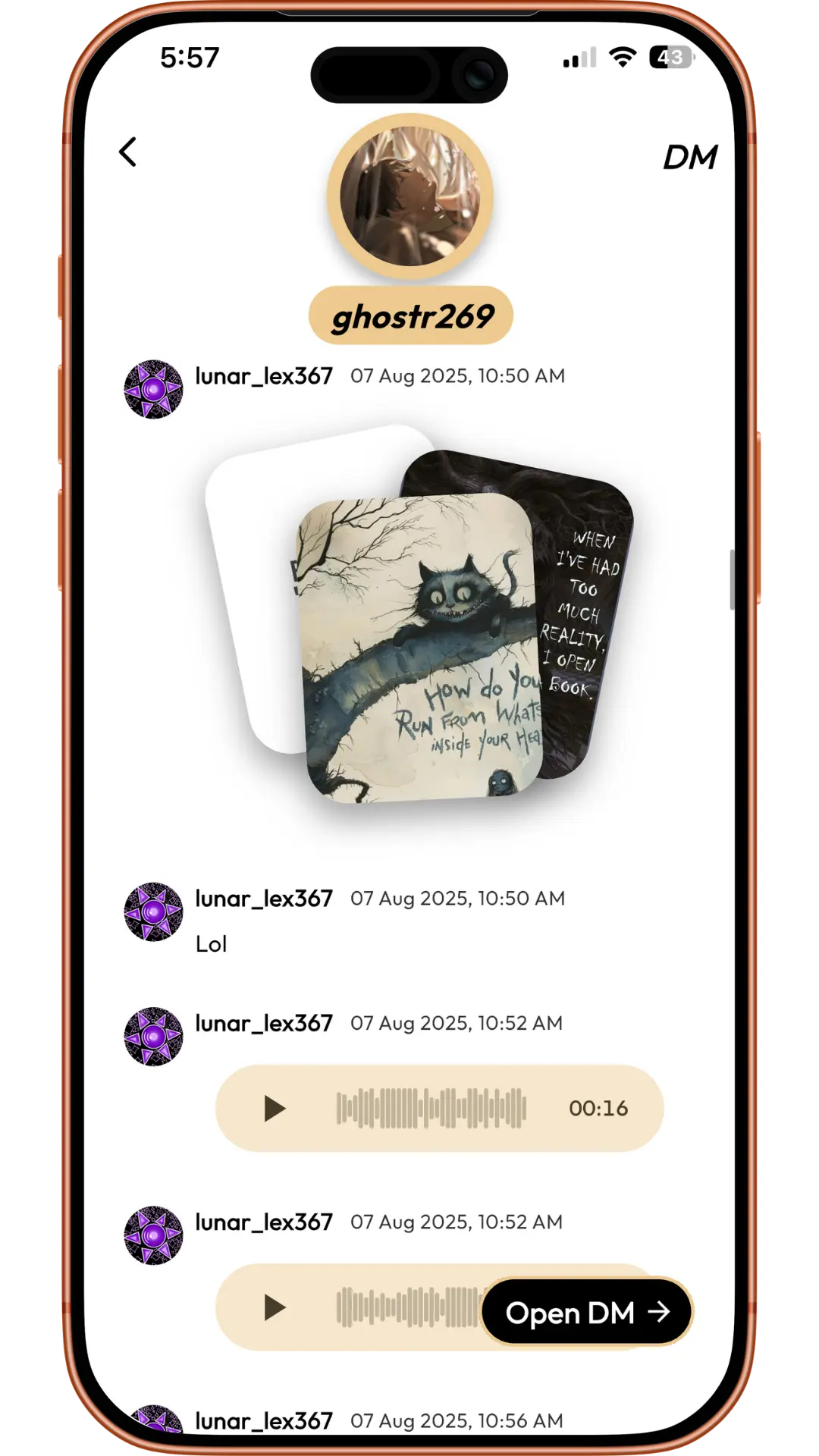
The Open DM action is the bridge from browsing the archive to opening the Discord conversation. The screenshot is an example of the product interface, not a guarantee that every attachment or message remains available.
If a message was individually deleted, opening the DM will not bring it back. Discord also says manually deleted messages are excluded from newly requested exports. An existing older copy is a separate record.
5. “I remember when we talked, but not the person’s name”
but I remember excatly when and what the person and I talked about.
Chia described this problem in a July 2021 Discord community post.
Start with the time period and topic. In Friendcord, search a relevant word and narrow the results to the approximate date. Look for messages you recognize, inspect the conversation, and open it with Instant.
For a manual approach, search the extracted message transcripts for that word and inspect timestamps around the period you remember. A date is a clue, even when a username is gone.
From downloaded ZIP to open conversation
If you need the archive first, go to Discord Settings → Data & Privacy → Request your data. Choose the message data you need, then download the ZIP from the email Discord sends. Discord says preparation can take up to 30 days. Follow its official request instructions for your platform.
Import the ZIP into Friendcord, search for the conversation, and choose Open DM. For the preferred Instant option, install the browser extension, pair it with the mobile app using its QR flow, and use Open DM once connected.
Try Friendcord to find the conversation and reopen it. If you already have the User ID, start with Friendcord Instant.
The community excerpts above are historical user experiences, not endorsements. Discord instructions were checked on October 9, 2026. Screenshots are existing Friendcord product examples; available message history depends on what remains in the archive or Discord conversation.