These messages aren't deleted either, I can scroll all the way back to May of 2018 in the app, when we first started talking.
A Reddit user described this in November 2020: older messages were missing from their downloaded CSV, although they could still read them in Discord.
If this happens to you, use Friendcord to identify the conversation from the records you do have, then reopen the actual DM with Friendcord Instant. Messages missing from a ZIP may still be readable in Discord. If you already know the correct User ID, you can use Instant directly without waiting for another export.
The immediate question is where the message is missing: the export, your archive viewer, or the actual conversation. Each needs a different fix.
First, distinguish missing replies from missing sent messages
Discord’s current data-package documentation describes your sent messages, grouped by conversation or channel. Received replies are not part of that sent-message transcript. Their absence alone does not mean the export is broken.
To read replies that remain in a one-to-one conversation, identify the user in Friendcord and use Open DM. Instant opens the actual Discord chat; the chat’s remaining history is separate from the archive imported into Friendcord.
If a message you sent is missing too, continue below. If the record exists in the ZIP but you cannot find its chat, use our guide to locating a DM in your data package.
Find the conversation in Friendcord, then open its remaining history
1. Keep the original ZIP. Import the Discord ZIP into Friendcord and search for a distinctive word from a message you sent: a game, nickname, place, or project. Start with a word from a time period that is present in the package.
2. Broaden your search if nothing appears. Remove narrow date or user filters, try another phrase, and check that you are using data from the Discord account that sent the message. A missing search result is a clue to investigate, rather than confirmation that Discord deleted the chat.
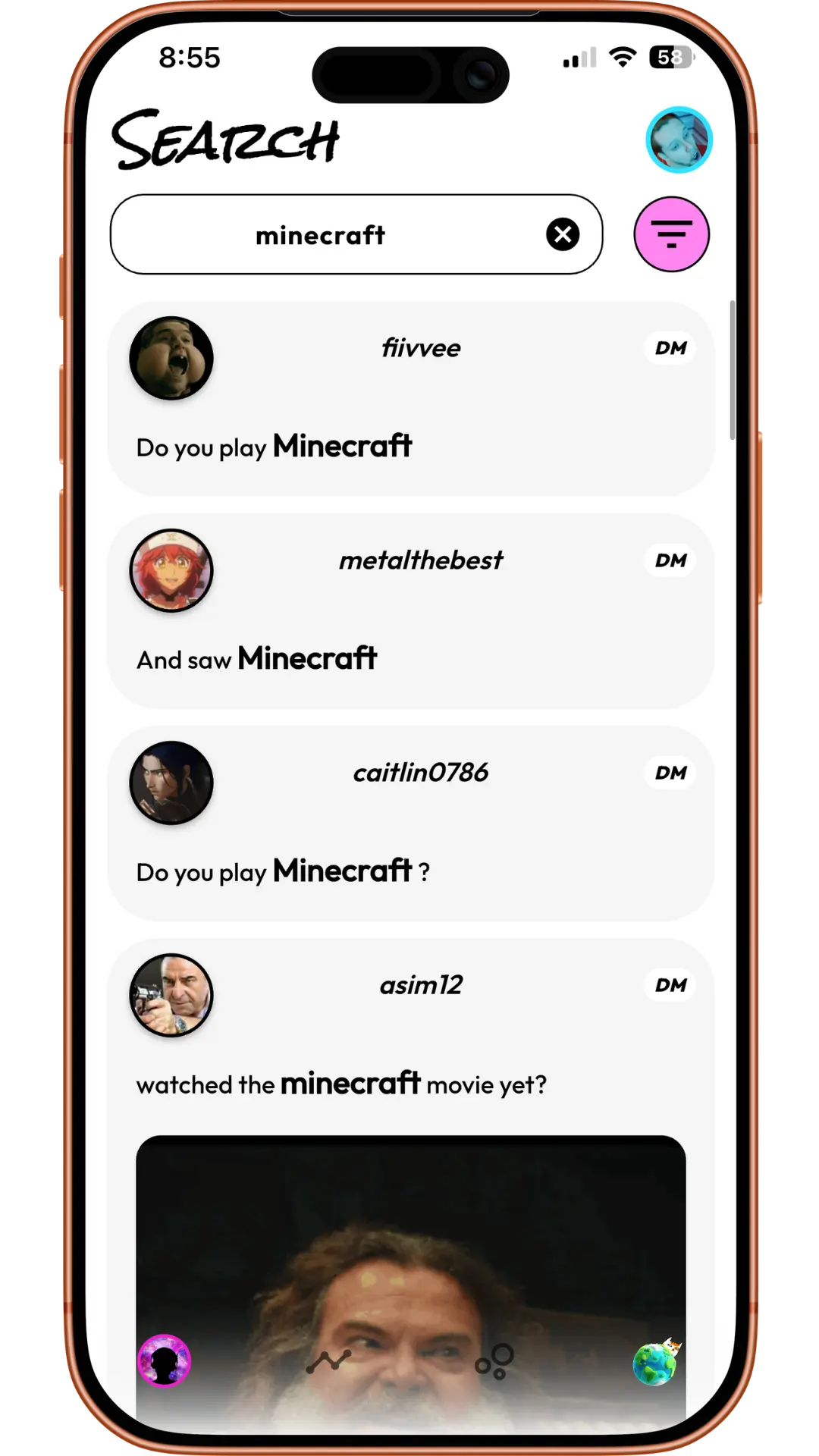
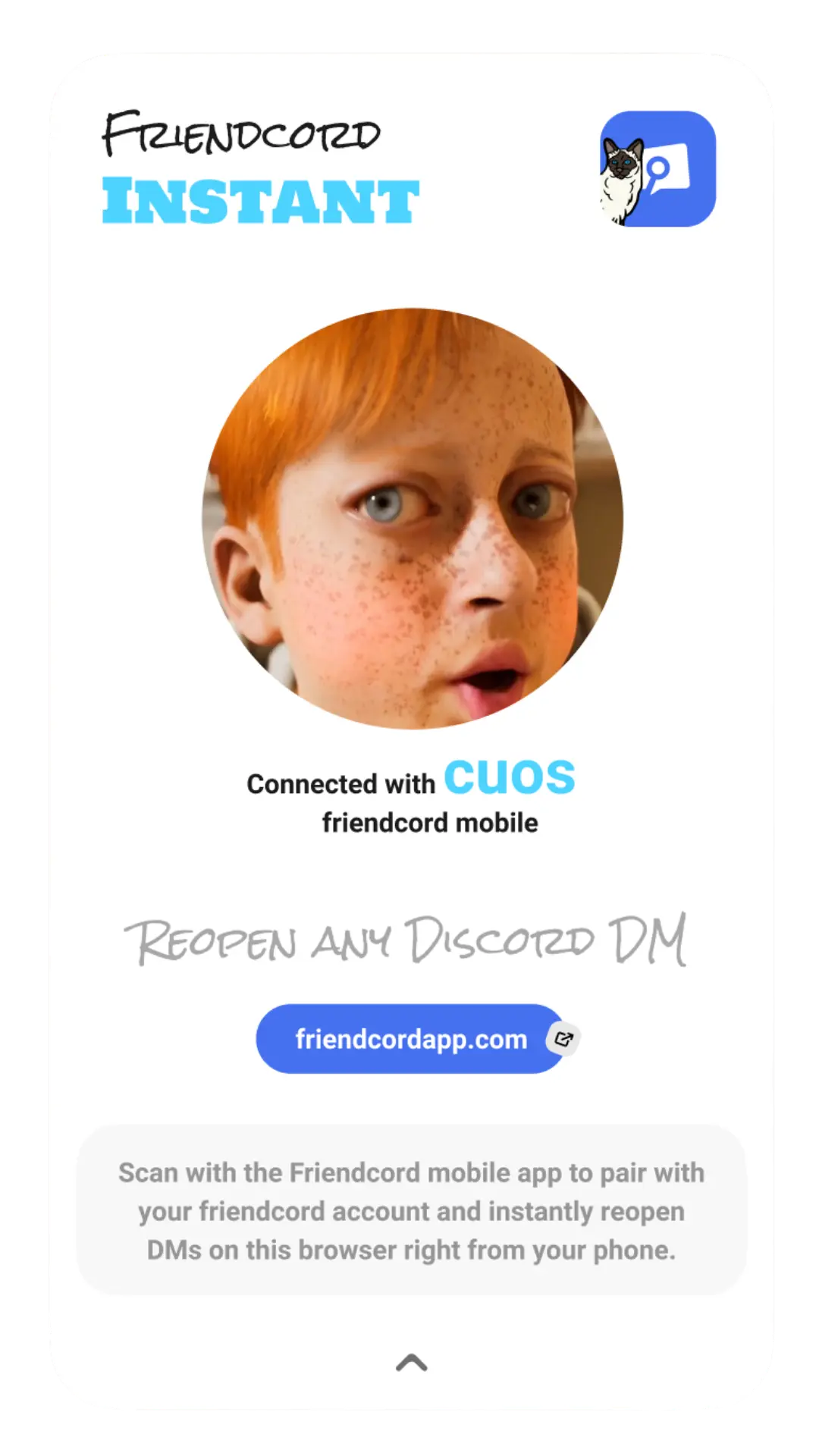
3. Select the matching one-to-one conversation and open its Open DM options. For the preferred Friendcord Instant option, install the browser extension in a supported browser, open its pairing QR flow, and scan it with the Friendcord mobile app.
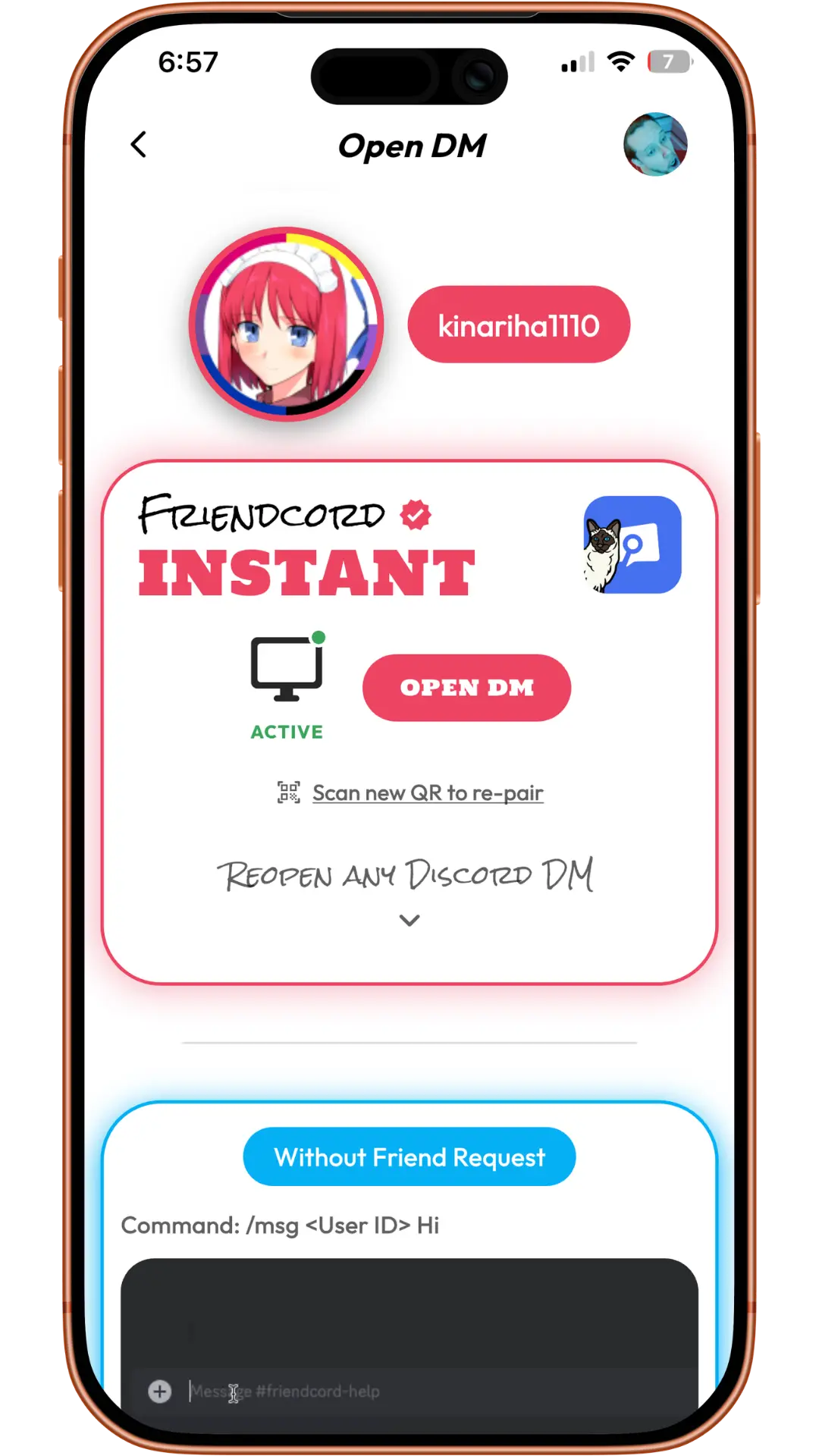
4. Once the Instant connection is active, choose Open DM in the mobile app. In the reopened Discord conversation, check the older date range or search for the remembered wording. If you have the correct original User ID already, use the direct Instant opening option instead of importing another ZIP.
Friendcord Instant supports reopening conversations with users who blocked you or deleted their accounts, as confirmed by Friendcord’s owner. Opening the conversation does not reactivate an account, restore individually deleted messages, or allow sending through a block. This article has not independently tested those account states.
Check whether the export contains transcript files
saw there was only a channel.json file. In every single one of them.
That report appeared in a June 10, 2021 GitHub issue for a different archive viewer. The viewer reached 100% and displayed a blank screen. Its maintainer later reported a fix and replacement packages. This is a historical example of why a blank viewer needs investigation, not evidence of a current Discord outage.
Inspect a separate extracted copy of your ZIP. Discord’s current guide describes channel metadata and a JSON transcript of your sent messages. Older packages may use CSV transcripts; use the files actually present rather than assuming an old tutorial’s filenames still apply.
If metadata exists but the expected transcript is absent, another viewer cannot supply the missing records. Friendcord can search records included in your ZIP and help open an identified DM, but it cannot manufacture an omitted transcript or an unknown recipient ID.
If you can still open the conversation in Discord, read the needed messages there while you investigate the package. Preserve the original download so you can describe the discrepancy accurately.
Ask Discord about genuinely missing export data
Discord’s data-package guide directs users to contact support when something is missing. Give a precise example: the request date, affected conversation or channel, approximate message date, and whether the message is still visible in Discord.
Explain whether the ZIP lacks the transcript file, a particular sent message, or an older date range. Include relevant IDs or a minimal screenshot when needed; avoid attaching your entire private archive to a public thread.
For a replacement request, follow Discord’s current request instructions: User Settings → Data & Privacy → Request your data. Include message data in your selection. Preparation can take up to 30 days, and you must wait for an active request to finish before submitting another.
If the download email never arrives, check the mailbox connected to the account when you made the request, including spam. Changing the account email later does not redirect the link. Follow the account-access help route in Discord’s request guide if you cannot access the account.
Do not treat a six-month limit mentioned in old forum replies as a current rule. Discord’s present request guide describes requesting personal data from the account’s entire history; the historical reports above do not establish a universal cutoff.
If the message was individually deleted
Discord says manually deleted messages are excluded from newly requested packages in its data-package documentation. Friendcord Instant opens remaining conversation history; it does not undo message deletion. An older archive or screenshot you already saved is a separate copy.
Start with the records you have
If you can identify the user or conversation, open it with Friendcord Instant and check the actual DM before assuming a missing export means lost history. If you need to identify it first, get Friendcord, import your ZIP, and search a remembered message.
The quoted reports are historical personal experiences, not endorsements of Friendcord. Product screenshots illustrate the workflow and do not show either quoted user’s conversation. Discord documentation and Friendcord’s current product page were checked on October 13, 2026.